


Facebook is by far the most popular networking site in the world. Millions of people are creating accounts facebook daily and the the number of people creating one hasn't showed any signs of decline. This shows the popularity of facebook all over the world. Today I will show you how to remove facebook advertisements in your account. Many people are are not satisfied with facebook adds which are displayed in their timeline, news feed or anywhere. They don't want those ads to pop up everywhere, but they might not know that they can have those now show up in their timelines. It's not that difficult to remove facebook advertisements. All you have to do is just install add-ons and extensions in your browser.
Recommended : Tag All Your Friends On Facebook Status
Add-ons for Mozilla Firefox :
There are many add-ons available for removing facebook advertisements but I am showing the best add-on for Mozilla Firefox
1. Adblock Plus :
Adblock Plus is the popular add-on for removing facebook ads. This add-on will also remove all ads and pop-ups which will display in other websites.
Install Adblock Plus
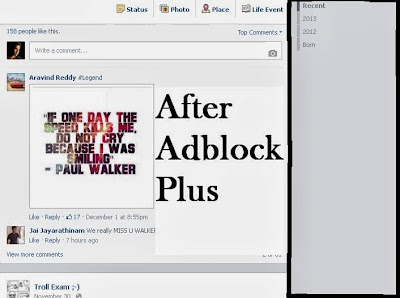

Add-ons for Google Chrome :
For Google Chrome too, many add-ons will be available for removing facebook advertisements. Below are the the top 2 best add-ons for Google Chrome. You can use any one of the two.
1. Facebook Adblock :
Facebook Adblock is the best add-on for Google Chrome to remove unusual advertisements in facebook.
Download Facebook Adblock
2. Adblock Plus :
Due to the success of Adblock Plus in Mozilla Firefix, they developed the same add-on in Google Chrome for removing facebook ads.
Download Adblock Plus
This is how to remove annoying facebook advertisements in facebook. If you are still facing any problems, please let me know. Subscribe below to get more tips and tricks for free.
Also See : Invite All Your Friends To Facebook Page Within Seconds
Recommended : Tag All Your Friends On Facebook Status
Remove Advertisements in Facebook :
Add-ons for Mozilla Firefox :
There are many add-ons available for removing facebook advertisements but I am showing the best add-on for Mozilla Firefox 1. Adblock Plus :
Adblock Plus is the popular add-on for removing facebook ads. This add-on will also remove all ads and pop-ups which will display in other websites.
Install Adblock Plus


Add-ons for Google Chrome :
For Google Chrome too, many add-ons will be available for removing facebook advertisements. Below are the the top 2 best add-ons for Google Chrome. You can use any one of the two.1. Facebook Adblock :
Facebook Adblock is the best add-on for Google Chrome to remove unusual advertisements in facebook.
Download Facebook Adblock
2. Adblock Plus :
Due to the success of Adblock Plus in Mozilla Firefix, they developed the same add-on in Google Chrome for removing facebook ads.
Download Adblock Plus
This is how to remove annoying facebook advertisements in facebook. If you are still facing any problems, please let me know. Subscribe below to get more tips and tricks for free.
Also See : Invite All Your Friends To Facebook Page Within Seconds
Subscribe Today And Discover All Tips And Tricks !
Note : Don't forget to click the confirmation link in youe email inbox!


0 comments:
Post a Comment